Docker's Evolution: From Containers to Cloud-Native Ecosystems
Trace Docker's journey from a revolutionary containerization tool to a core component of cloud-native ecosystems. Discuss how Docker has adapted to the rise of Kubernetes, evolved
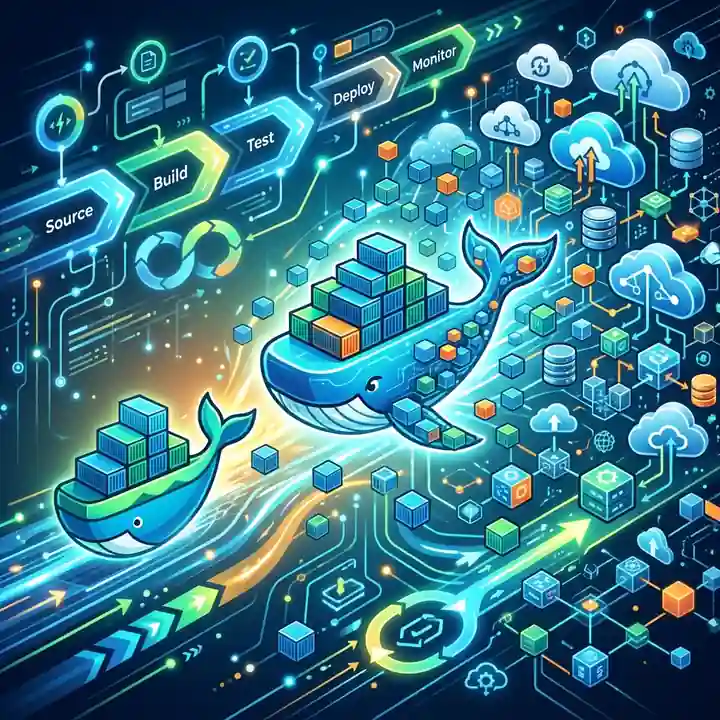
Docker’s Evolution: From Containers to Cloud-Native Ecosystems
Docker didn’t just create a tool; it sparked a revolution. By making containers accessible, it fundamentally changed how we build, ship, and run software. But the story didn’t end with docker run. The cloud-native landscape Docker helped create has evolved, and so has Docker itself. It has masterfully pivoted from being a simple container engine to a comprehensive, developer-focused platform that remains a cornerstone of modern software development.
This article traces Docker’s journey, exploring its strategic adaptation to the rise of Kubernetes and its transformation into an indispensable part of the cloud-native toolkit.
What You’ll Get
- A clear view of Docker’s journey from a standalone tool to an ecosystem.
- Insight into how Docker and Kubernetes transitioned from rivals to powerful collaborators.
- An overview of modern features in Docker Desktop that boost developer productivity.
- Actionable best practices to optimize your current Docker workflows.
- A forward-looking perspective on Docker’s relevance in 2026 and beyond.
The Genesis: Standardizing the Software “Shipping Container”
Before Docker, container-like technologies such as LXC and Jails existed, but they were complex and primarily used by system administrators. Docker’s genius was in creating a simple, intuitive user experience around these powerful kernel features. The Dockerfile and a straightforward CLI democratized containerization, making it a tool for every developer.
This abstraction provided a standard unit of software—the container image—that bundled an application’s code with all its dependencies. Suddenly, the age-old problem of “it works on my machine” had a practical solution.
graph TD
    A[Dockerfile] -- docker build --> B["Container Image (Immutable Artifact)"];
    B -- docker run --> C["Running Container (Isolated Process)"];
This simple, powerful workflow allowed developers to package applications and hand them off to operations with confidence, laying the groundwork for the DevOps movement.
Navigating the Orchestration Wars
As container adoption exploded, a new challenge emerged: managing hundreds or thousands of containers in production. This led to the “Orchestration Wars,” a period of intense competition between platforms designed to automate container deployment, scaling, and management.
Docker’s native solution was Docker Swarm, a simple and tightly integrated orchestrator. However, Google’s open-source project, Kubernetes, gained immense traction due to its robust, declarative API, and strong community backing. It was eventually donated to the Cloud Native Computing Foundation (CNCF), solidifying its position as the industry standard.
Instead of fighting a losing battle, Docker made a crucial strategic pivot. It embraced Kubernetes.
By integrating Kubernetes directly into Docker Desktop and its enterprise offerings, Docker shifted its focus from production orchestration to what it does best: improving the developer experience. This move solidified its role in the “inner loop” of development—the code, build, and test cycle.
Docker conceded the orchestration layer to Kubernetes and doubled down on creating the best possible tools for developers before their applications reach a production cluster.
The Modern Docker Platform: A Developer-Centric Ecosystem
Today’s Docker is far more than just a container runtime. It’s a suite of tools designed to streamline the entire software development lifecycle, from local coding to cloud deployment.
Docker Desktop: The Local Development Hub
Docker Desktop has evolved into a powerful control center for local development. Its key features now include:
- Integrated Kubernetes: A one-click local Kubernetes cluster for testing manifests and deployments.
- Docker Extensions: An integrated marketplace to add third-party tools directly into Docker Desktop. Think databases like Redis, security scanners, and log viewers.
- Docker Scout: Provides deep insights into image vulnerabilities and supply chain security, helping you shift security left.
- Intuitive UI: Simplifies management of images, volumes, and running containers without constant command-line interaction.
Build Performance and Efficiency
Docker’s build capabilities have advanced significantly with the integration of the BuildKit engine. BuildKit offers substantial improvements over the legacy builder:
- Parallel Stage Execution: Build stages that don’t depend on each other are run in parallel.
- Improved Caching: More effective layer caching reduces redundant work and speeds up subsequent builds.
- Skippable Unused Stages: If a stage is only used for a later stage that is not being built, it can be skipped.
A prime example is the multi-stage build, a best practice for creating lean, secure production images.
1
2
3
4
5
6
7
8
9
10
11
12
13
14
15
16

# --- Build Stage ---
# Use a full-featured base image with build tools
FROM golang:1.21-alpine AS builder
WORKDIR /app
COPY . .
# Build the Go application, creating a static binary
RUN go build -o my-app .

# --- Final Stage ---
# Use a minimal base image for the final production image
FROM alpine:latest
WORKDIR /root/
# Copy only the compiled binary from the 'builder' stage
COPY --from=builder /app/my-app .
# Command to run the application
CMD ["./my-app"]
This Dockerfile produces a tiny final image containing only the compiled application, drastically reducing its size and attack surface.
Seamless Cloud Integration
Docker has bridged the gap between local development and cloud environments. Using Docker Contexts, you can switch your Docker CLI’s target from your local machine to a cloud provider. This allows docker compose, the popular tool for defining multi-container applications, to deploy directly to cloud services.
-
Amazon ECS: Deploy your
docker-compose.ymlfile directly to Amazon’s Elastic Container Service. - Microsoft ACI: Run your containers in Azure Container Instances without managing servers.
graph TD
    subgraph "Developer Laptop"
        A["docker-compose.yml"] -- docker compose up --> B["Local Containers"];
    end

    subgraph "Cloud"
        D["AWS ECS Cluster"]
        E["Azure Container Instances"]
    end

    A -- "docker context use my-cloud-context<br/>docker compose up" --> C{"Cloud Provider Integration"};
    C --> D;
    C --> E;
This powerful feature enables developers to use the exact same familiar tooling for both local development and cloud deployment, simplifying workflows immensely.
Optimizing Your Docker Workflow in 2026
To stay efficient and secure, it’s crucial to adopt modern Docker practices. Here are some key recommendations:
| Practice | Description | Why It Matters |
|---|---|---|
| Use Multi-Stage Builds | Separate build-time dependencies from runtime dependencies into different stages in your Dockerfile. | Creates smaller, more secure production images by excluding compilers, SDKs, and build tools. |
Leverage .dockerignore |
Create a .dockerignore file to exclude unnecessary files and directories from the build context. |
Speeds up the docker build process and prevents sensitive files (like .git or .env) from being copied into the image. |
| Scan Images with Docker Scout | Regularly scan your images for known vulnerabilities directly within Docker Desktop or your CI pipeline. | Proactively identifies security risks, allowing you to patch dependencies before they reach production. |
| Pin Image Versions | Always use specific image tags (e.g., node:18.17.1-alpine) instead of :latest. |
Ensures reproducible builds and prevents unexpected breaking changes from upstream images. |
| Optimize Layer Caching | Structure your Dockerfile to place frequently changing instructions (like COPY . .) as late as possible. |
Maximizes the use of Docker’s build cache, resulting in significantly faster build times for minor code changes. |
Looking Ahead: Docker’s Enduring Role
So, what is Docker’s place in 2026? While Kubernetes reigns supreme for production orchestration, Docker has solidified its position as the undisputed leader for the developer’s “inner loop.” Its focus is no longer on competing with Kubernetes but on empowering developers who are building applications for Kubernetes and other cloud-native environments.
Docker’s future relevance is built on three pillars:
- Developer Productivity: Providing a seamless, integrated local development experience that abstracts away complexity.
- Secure Software Supply Chain: Giving developers tools like Docker Scout to build secure images from the very beginning.
- Frictionless Code-to-Cloud: Bridging the gap between the local machine and cloud environments with tools like Docker Compose integrations.
Conclusion
Docker’s journey is a masterclass in strategic adaptation. It evolved from a revolutionary container runtime into a sophisticated, developer-centric platform. By embracing its role as the foundational tool for building and sharing containerized applications, Docker has ensured its continued relevance. It is the starting point of virtually every cloud-native journey, and its focus on empowering developers guarantees it will remain an essential part of the software ecosystem for years to come.
Further Reading
- https://www.docker.com/blog/docker-ecosystem-evolution-2026/
- https://www.docker.com/products/docker-desktop/
- https://www.cncf.io/blog/the-evolution-of-docker-and-kubernetes/
- https://www.infoq.com/articles/docker-enterprise-strategies/
- https://docs.docker.com/get-started/
🚀 Ready to get hands-on? Spin up an interactive AI or Kubernetes Sandbox at Aicademy Labs for free.